

Colors in Flutter
Colors in Flutter: introduction
Colors in Flutter are represented by the immutable Color class, most often created from a hexadecimal literal, the built-in Colors swatch class, or an app's ColorScheme.
Key facts at a glance
Color(0xAARRGGBB)creates a color from a hexadecimal ARGB value. For example, the leadingFFinColor(0xFFRRGGBB)represents a fully opaque alpha channel.Colorsprovides Material's named swatches, likeColors.deepPurpleorColors.deepPurple.shade200.withOpacity()is deprecated in favor ofwithValues(alpha: ...), which avoids precision loss.ColorScheme.fromSeedgenerates a fullColorSchemefrom a single seed color, with colors designed to work together and meet contrast requirements.ColorTweeninterpolates between two colors and can be driven by anAnimationController.
How do I convert a hex value to a Flutter Color?
Color(0xAARRGGBB) accepts a hexadecimal ARGB value directly. For example, FF is the alpha channel, while 3B82F6 represents the RGB components:
const brandBlue = Color(0xFF3B82F6); // FF = fully opaque, 3B82F6 = RGBFor a hex string without the alpha prefix, such as one copied from a design tool, parse it and add the alpha manually: Color(int.parse('FF$hex', radix: 16)).
How do I set opacity and animate color in Flutter?
withValues(alpha: ...) sets opacity on an existing color; ColorTween interpolates between two colors over an animation.
import 'package:flutter/material.dart';

class ColorFadeButton extends StatefulWidget {
  const ColorFadeButton({super.key});

  @override
  State<ColorFadeButton> createState() => _ColorFadeButtonState();
}

class _ColorFadeButtonState extends State<ColorFadeButton>
    with SingleTickerProviderStateMixin {
  late final AnimationController _controller = AnimationController(
    vsync: this,
    duration: const Duration(milliseconds: 400),
  );
  late final Animation<Color?> _color = ColorTween(
    begin: Colors.blue,
    end: Colors.green,
  ).animate(_controller);

  @override
  void dispose() {
    _controller.dispose();
    super.dispose();
  }

  @override
  Widget build(BuildContext context) {
    return AnimatedBuilder(
      animation: _color,
      builder: (context, child) {
        return ElevatedButton(
          onPressed: () => _controller.forward(),
          style: ElevatedButton.styleFrom(backgroundColor: _color.value),
          child: const Text('Confirm'),
        );
      },
    );
  }
}
Colors.blue.withValues(alpha: 0.5) sets the alpha value for a static color. When a color needs to transition smoothly between two values, ColorTween can be used to interpolate between them over an animation.
Best practices
- Use
withValues(alpha: ...), not the deprecatedwithOpacity(), for setting transparency on a color. - Use
ColorScheme.fromSeedto generate a cohesive palette rather than picking dozens of individual hex values by hand. - Define brand colors centrally and expose theme-dependent colors through the app's theme, rather than scattering hex literals throughout the codebase. This makes rebranding easier and allows colors to adapt consistently across different themes.
- Use
ColorTweenwith anAnimationControllerwhen you need explicit control over color animation; for simpler cases, Flutter's implicit animation widgets may be a better fit than manually callingsetState. - Check contrast in both light and dark themes for any custom color, since a value tuned for one often reads poorly in the other.
Common mistakes
- Using the deprecated
withOpacity()instead ofwithValues(alpha: ...). PreferwithValues(alpha: ...)to preserve the full precision of the color's alpha value. - Forgetting the alpha channel in a hex color, writing
Color(0x3B82F6)instead ofColor(0xFF3B82F6). Flutter interprets color values as0xAARRGGBB, so the former has an alpha value of00and is fully transparent. - Manually managing color animation with repeated
setStatecalls when an animation API such asColorTweenor an implicit animation widget would be a better fit. - Hardcoding hex values across many widgets instead of centralizing them in theme values or named constants.
Learn more
Building a Design System in a Large Flutter App
Flutter is known for its seamless UI/UX features and robust design elements. It allowed us to deliver a unique customer experience in the “CA24 Mobile” banking app. This article shares some of the learnings and pain points behind implementing it in this large project.
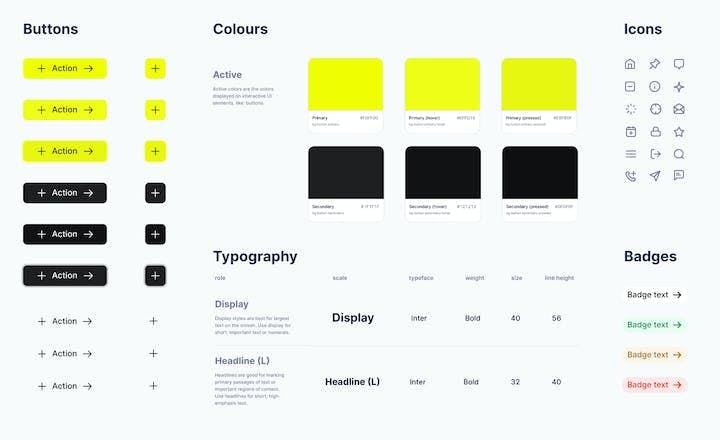
Benefits of a Design System in the AI Era: Why Your Digital Product Needs One
Building a new digital product, such as a web or mobile application, is complex. You need to map user stories - create a simple description of features - then apply them to the developers' scope of work and the app’s design. Discover how a design system can unleash efficiency, consistency, and scalability in your digital product.

What Are the Current Trends in Flutter App Development? LeanCode's Top Picks for 2026
Flutter app development is evolving quickly, with new trends and technologies emerging all the time. Based on our experience delivering Flutter apps in real production environments, we explore what’s shaping how teams build and maintain Flutter products in 2026.