

Material Design in Flutter
What is Material Design in Flutter?
Material Design in Flutter is a design system and widget library based on Google's Material guidelines. It defines how UI elements look, move, and respond to user interaction, and it comes with a large set of ready-made widgets such as buttons, app bars, dialogs, and navigation components.
In Flutter, Material Design is provided by the material package and is commonly used as the default UI layer.
Why does it matter in Flutter app development?
Material Design allows teams to:
- Build consistent UIs quickly.
- Follow familiar UX patterns.
- Reduce design decisions with sensible defaults.
For Android apps, Material feels native. For cross-platform apps, it provides a unified look across devices.
How does it work?
Material Design works by wrapping your app with MaterialApp. This widget initializes:
- The Material theme (
ThemeData). - Navigation and routing defaults.
- Core visual behaviors like ink ripple animations.
Material widgets such as Scaffold, AppBar, or ElevatedButton rely on a Material ancestor to render correctly.
Example:
MaterialApp(
  theme: ThemeData(useMaterial3: true),
  home: Scaffold(
    appBar: AppBar(title: Text('Home')),
    body: Center(child: Text('Hello')),
  ),
);
Material 3 (Important context)
Material 3 (M3) is now the default standard in Flutter.
Instead of the older primarySwatch approach (Material 2), Material 3 typically uses ColorScheme.fromSeed to generate a full color palette. This results in softer colors and more rounded components. Seeing visual differences compared to older tutorials is expected, not a mistake.
Key characteristics of Material Design
Material Design in Flutter focuses on:
- Theming using
ThemeDataandColorScheme - Elevation for visual hierarchy
- Motion through built-in animations
- User feedback via ink ripple effects
Common Material widgets in Flutter
Frequently used widgets include:
Scaffold– page structureAppBar– top navigationFloatingActionButtonElevatedButton,TextButtonDrawer,BottomNavigationBarSnackBar,Dialog
All of them expect a Material context.
When should you use Material Design?
Use Material Design when:
- Building Android-first apps.
- Creating MVPs or internal tools quickly.
- Consistency matters more than platform-specific look.
Flutter without Material Design
Flutter does not require Material Design.
You can:
- Use Cupertino widgets for iOS-style UI.
- Mix Cupertino widgets inside
MaterialApp. - Build fully custom UI with low-level widgets.
Be aware that widgets like InkWell need a Material ancestor. Wrapping content in Container is not enough — Material is required for ripple effects.
Common mistakes to avoid
- Using Material widgets without a Material ancestor.
- Nesting
Scaffoldwidgets inside each other. - Assuming Material widgets only work on Android.
- Expecting ink effects without a
Materialwidget below.
Alternatives to Material Design
- Cupertino widgets for iOS-style design
- Adaptive widgets (e.g.
Switch.adaptive) - Custom design systems built from core widgets
Material Design in Flutter is a powerful default, but it remains an intentional design choice, not a requirement.
Learn more
Building a Design System in a Large Flutter App
Flutter is known for its seamless UI/UX features and robust design elements. It allowed us to deliver a unique customer experience in the “CA24 Mobile” banking app. This article shares some of the learnings and pain points behind implementing it in this large project.
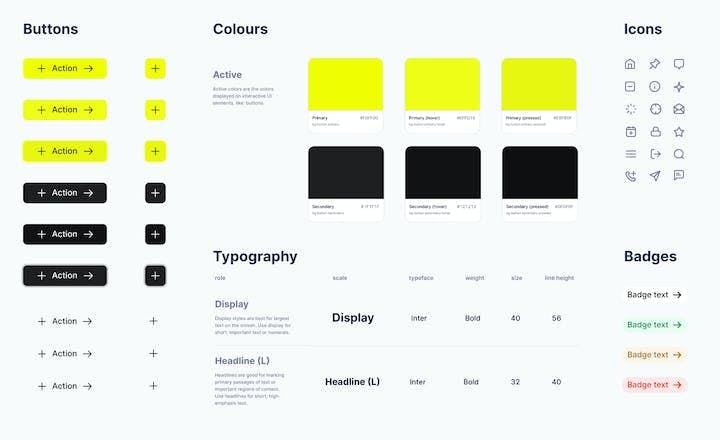
Benefits of a Design System in the AI Era: Why Your Digital Product Needs One
Building a new digital product, such as a web or mobile application, is complex. You need to map user stories - create a simple description of features - then apply them to the developers' scope of work and the app’s design. Discover how a design system can unleash efficiency, consistency, and scalability in your digital product.

Native vs. Cross-Platform App Development: What’s the Difference?
For a business looking to build a mobile app, the choice between native and cross-platform development directly impacts the entire product development process. This article is packed with insights that will help you make an informed choice between these two approaches, aligning your technical needs with your business objectives.