What are push notifications in Flutter?
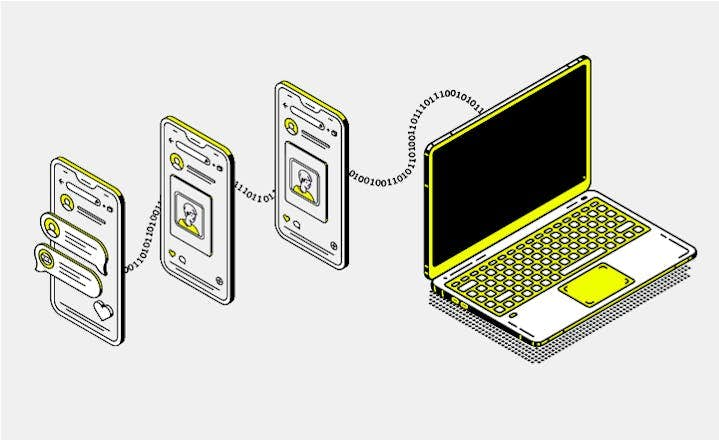
Push notifications are messages sent from a server to a user's device, even when the Flutter app is not running. They are commonly used for alerts, reminders, and real-time updates.
In Flutter, push notifications are most often implemented using Firebase Cloud Messaging (FCM), which integrates with Android (FCM) and iOS (APNs).
Why do push notifications matter in Flutter app development?
Push notifications increase user engagement and allow apps to react to server-side events in real time.
They are essential for:
- messaging apps
- e-commerce platforms
- productivity tools
- social and collaboration apps
How do push notifications work?
A Flutter app registers with a push provider (for example Firebase) and receives a device token. The backend sends a message to that token, and the operating system decides how and when it is delivered.
The behavior depends on the app state:
- Foreground: the message is delivered to Flutter code only.
- Background: the system displays the notification automatically.
- Terminated: tapping the notification launches the app.
Foreground notifications (important)
When the app is open, Android and iOS do not display push notifications automatically. If you want the user to see a banner or alert in the foreground, you must show it manually.
In Flutter, this is typically done by combining FCM with flutter_local_notifications to display a local notification when a message arrives in the foreground.
When to use push notifications?
Push notification are useful in Flutter apps when you want to proactively engage users outside the app interface.
User engagement and time-sensitive updates
Push notifications are appropriate for time-sensitive information, including:
- Alerts about new messages
- Special offers
- System events that require immediate attention
They can also help increase user retention by reminding users to return to the app after periods of inactivity.
Asynchronous server-driven events
Push notifications are also useful for events triggered by the server when the app may not be actively running.
Examples include:
- A delivery tracking app notifying users when shipment status changes.
- A social app notifying users about interactions such as likes or comments.
Using push notifications in these scenarios allows the app to respond to server events without continuously polling the server, which helps save battery and bandwidth.
When not to use push notifications?
Push notification should be avoided in situations where they can negatively affect user experience or are not technically appropriate.
Non-critical or frequent updates
Push notifications should not be used for non-critical or overly frequent updates. Sending too many notifications can overwhelm users and increase the risk of app uninstalls.
Device-local reminders
For reminders or alerts that are local to the device, push notifications are not necessary.
Examples include:
In these cases, local notifications are more appropriate because they do not require server infrastructure or network access.
Real-time data synchronization
Push notifications are also not suitable for real-time data synchronization.
Applications that require live updates – such as chat apps or collaborative tools – should use technologies such as:
- WebSockets
- Firebase Realtime Database
- Polling mechanisms
These approaches provide continuous updates without relying on push notification delivery, which may be delayed or unreliable on some devices. Overusing push notifications for real-time updates can lead to a disjointed or inconsistent user experience.
Common mistakes when using push notifications
- Paid Apple Developer account required (iOS): Push notifications do not work with a free Apple ID. APNs requires the $99/year Apple Developer Program.
- No notification shown in foreground: This is expected behavior. You must display it manually using a local notification plugin.
- Testing on iOS simulator: The iOS simulator does not support push notifications. A physical device is required.
Alternatives to push notifications
- Without Firebase: OneSignal, AWS SNS, custom APNs + FCM setup
- Local notifications:
flutter_local_notifications for on-device alerts only